|
|
Set Motion and Calculate
Set Motion - Step 1
-
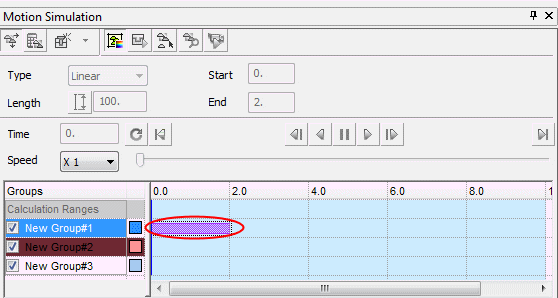
Double-click the cell next to Group 1.
The motion (motion simulation) of a group is represented by a bar in the row corresponding to it in the grid.
The bar's left-end corresponds to the beginning of the motion while the bar's right-end corresponds to the end of the motion.
Any motion simulation group can have any number of bars next to it. For example, more than one motion along the timeline. However, bars (motions) cannot overlap per single motion simulation group.
-
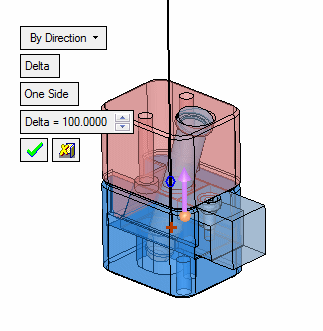
The motion direction is shown on screen and can be changed using the standard direction arrow interaction. Flip the arrow direction.