|
|
Loft
In this section the loft function will be discussed. A loft will be created between contours.
Planes
-
Open a New Part File.
-
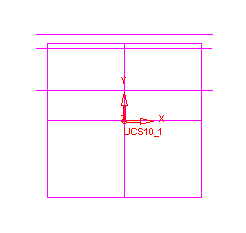
Select Wireframe > Datum > Main Planes.
-
Create Main Planes on the main UCS.
-
Select Wireframe > Datum > Plane Parallel.
-
Create a plane parallel with the ZX plane that has a delta of 110 in the +Y direction.
-
Click Apply in the Feature Guide.
-
Create two more parallel planes - deltas 240 and 285 in the +Y direction from the ZX plane.