|
|
Restore Original
The Restore Original operation enables the user to cancel all the operations that were performed on the toolpath using the Motion Editor and load the original toolpath.
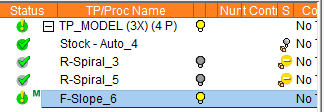
Notice the GREEN "M" flag in the Process Manager beside the procedure that was edited manually.
-
Click the Restore OriginalRestore Original
 button in the Guide.
This option enables the user to go back to the original calculated toolpath result. This is not an undo process; however, it saves time when the user believes the manual edit has gone out of control and would like to go back to the original toolpath.
-
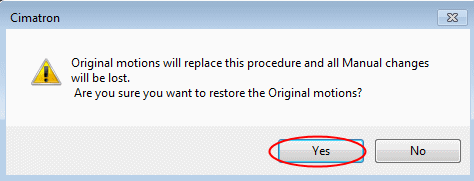
The system displays the message below.
Click Yes to restore the original motions and abandon all manual changes.
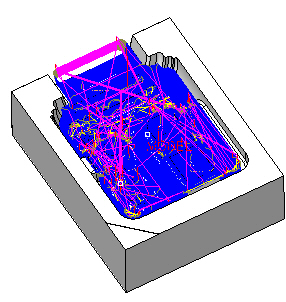
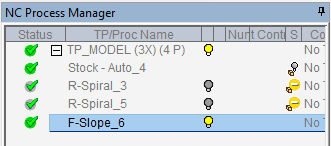
The system restores the original toolpath and removes the M flag from the Process Manager as shown in the following images: