|
|
Revolve
-
Create the following parallel planeparallel plane:
- Select Wirerframe/Datum/Plane Parallel.
- Pick the following Plane:
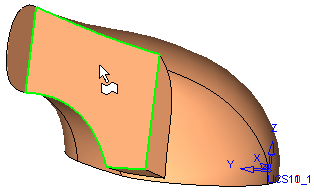
- Select the following parameters for the plane, in the +X direction (meaning, the arrow pointing left):
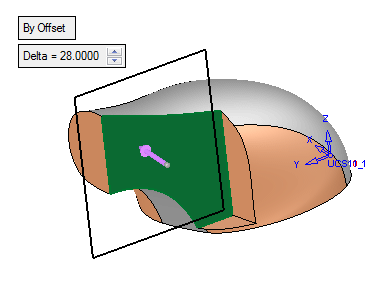
- Press OK in the Feature Guide.
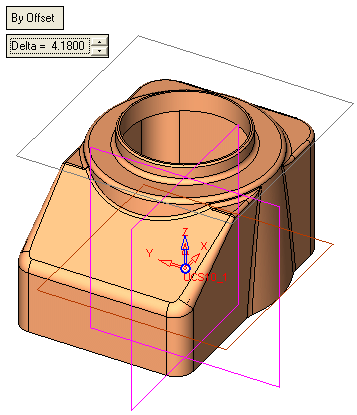
-
Now create the following sketch on the plane, making sure the arc is tangential to the part's upper edge as shown in the picture:
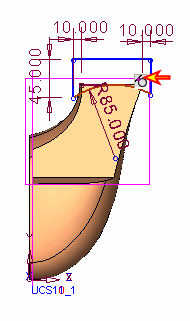
-
Create the following axisfollowing axis:
- Select Wireframe/Datum/Axis Parallel.
- Select the edge of the sketch indicated below:
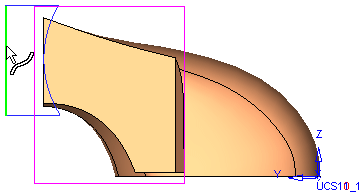
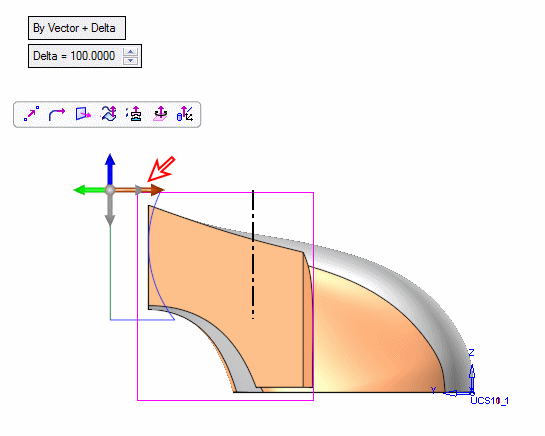
- Left click on the base of the direction arrow and select Along Y.
- Enter a delta of 100 in the -Y direction.
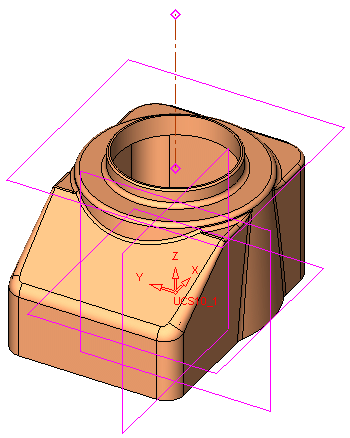
-
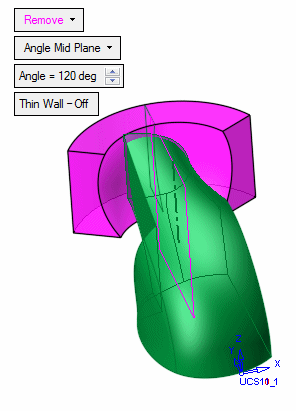
Select Solid > Creation > Revolve (Remove).
-
Pick the sketch and click the Middle Mouse Button followed by the axis.
-
Set the parameters as follows:
-
Click OK in the Feature Guide.


