|
|
Surface Quality
Round Corners
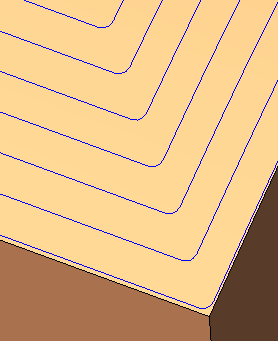
Several different modes of round corners are available within Rough Spiral and Finish functions that contain spiral milling. The different modes are defined to provide better control over the results of round corners.
Generally, the Basic mode supplies a good solution for rounding corners. For advanced users and special cases, the user is authorized to control more internally-used parameters.
-
Load the Round Corners_CBP_Ridges.elt file.
-
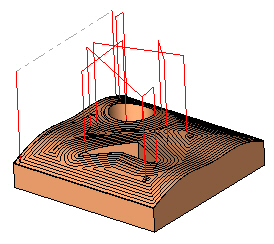
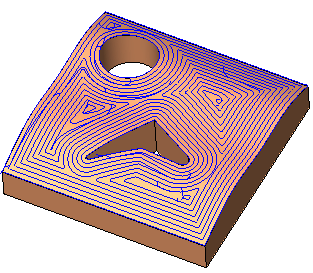
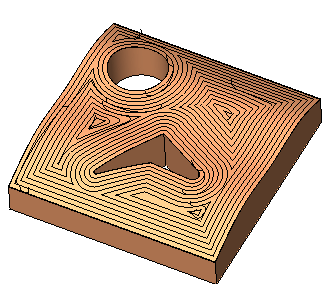
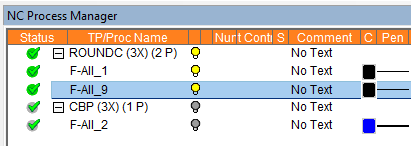
View the motions of the procedure in the first toolpath named ROUNDC.
The motions are the result of a Finish Mill All procedure with No Round Corners.
-
Duplicate the procedureDuplicate the procedure and edit it.
-
Set the High Speed Machining to Basic mode.
The High Speed Machining branch enables you to define the level of control over its use and the parameters to display in the branch. The following branch options are available:
- No - No rounded corners.
- Basic - Rounded corners in Auto mode (system defaults).
- Advanced - Rounded corners in user-defined mode.
-
Accept the default parametersAccept the default parameters and click Save & Calculate.
-
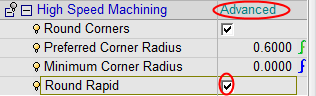
Edit the procedure and change the High Speed Machining mode to Advanced.
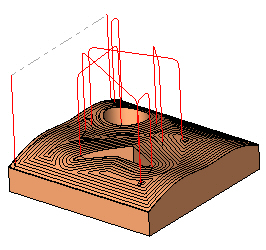
Note that there is also a control for the rapid motion cornerscontrol for the rapid motion corners. You can round the corners of air motions. Mark this checkbox and calculate the procedure.