|
|
Using Segments Step 4
-
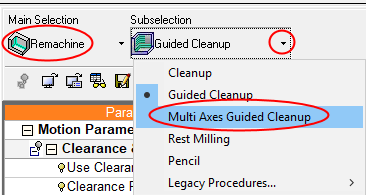
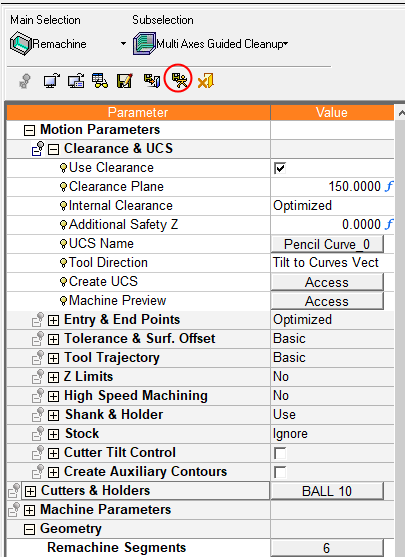
For full 5X machining of the pre-defined segments, start a new procedure and select Multi Axes Guided Cleanup.
-
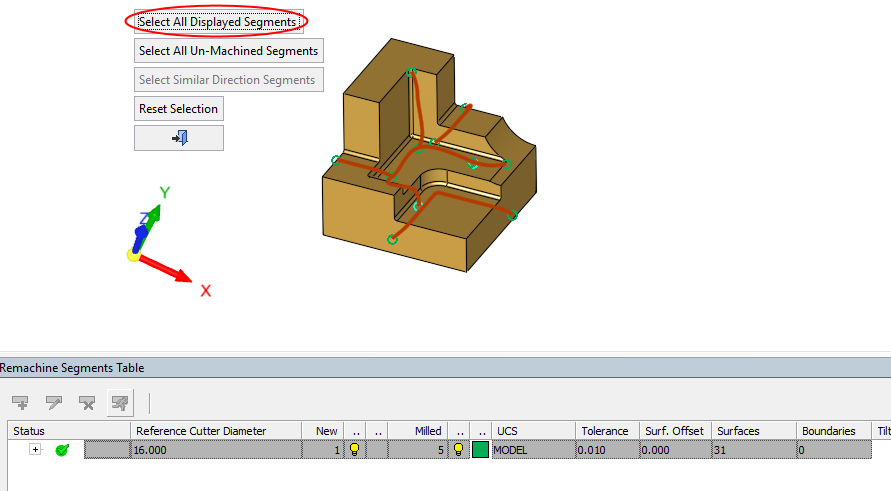
Select all the segments and execute the procedureexecute the procedure.
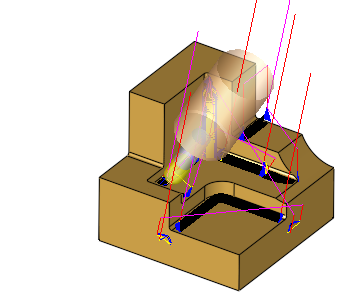
Each segment is machined according to its assigned direction. Still, there are missing motions due to holder collision.
-
Edit the procedure.
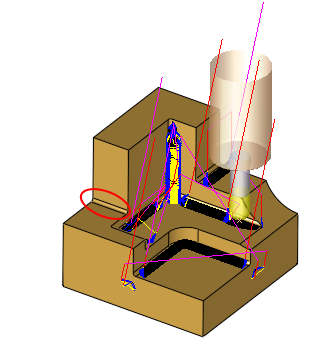
Activate the Cutter Tilt Control with its default setting and execute the procedure.
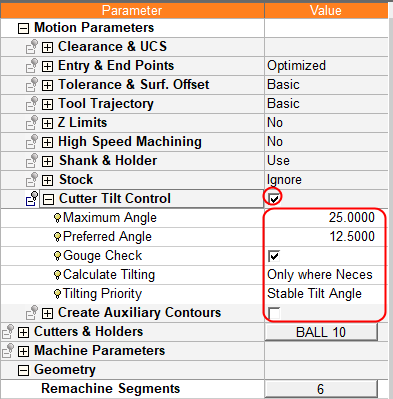
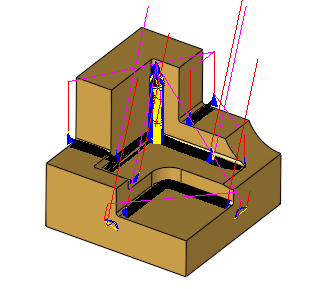
The motions, which were missing earlier, are now created with an auto tilt.
Summary
The Guided Cleanup functionality uses the Remachine Segments tool to identify the pencil curve segments.
The identified segments can be manipulated in various ways in order to ensure smooth and efficient motions.
The segments can be assigned with a specific milling direction, which will be used later on for milling.
Two procedures are used to handle the Remachine Segments:
- Guided Cleanup – for 3X or 3+2X milling of these segments.
- Multi Axes Guided Cleanup – for 5X milling of multi orientation segments in one procedure.


