|
|
Separate Objects - Step 1
-
Open up a New Part File and create main planes.
-
On the ZX plane, draw the following sketch in three stages:
-
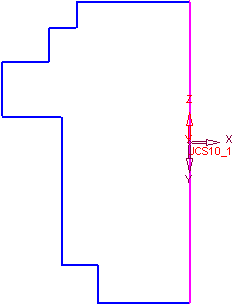
Draw the following shape:
-
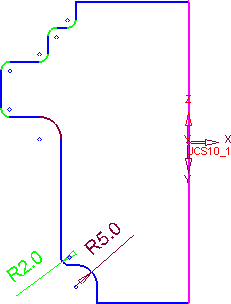
Use the Corner functionCorner function
 to create the radii.
-
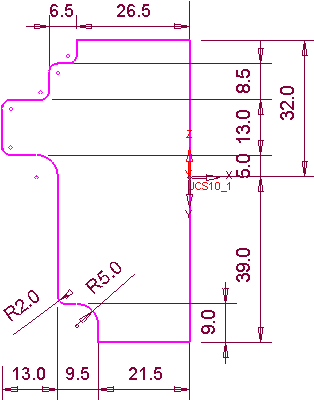
Fully dimension the sketch.
-
-
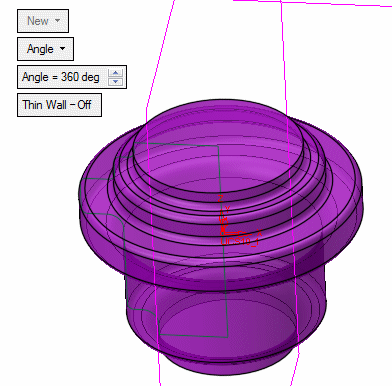
Create a revolve from the sketch.
-
Select Solid > Objects > Shell, and pick the two faces indicated as open faces.
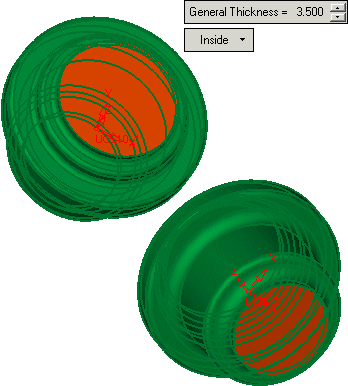
Toggle the Inside option to Both Sides to remove material in both directions. In other words, the external walls of the original solid are offset equally inwards and outwards.
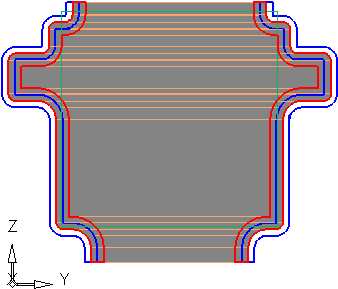
In the above image:
- The grey area represents the original solid shape.
- The area within the RED lines show the shell as performed in the exercise (Inside).
- The area within the BLUE lines show the Both Sides option being used (the walls are offset equally both inwards and outwards).


