|
|
Trim vs Boolean
-
Select Solid > Cut.
-
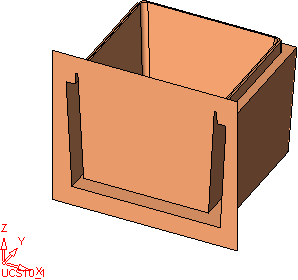
Select the bounded face as the object to be trimmed.
-
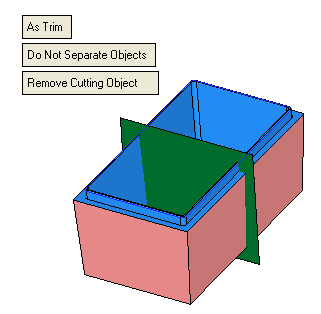
Ensure the As Trim and Remove Cutting Object options are selected.
-
ExitExit to accept this object.
-
Select the box as the cutting object and click OK in the Feature Guide.
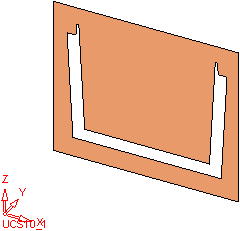
A trim face has been created.
-
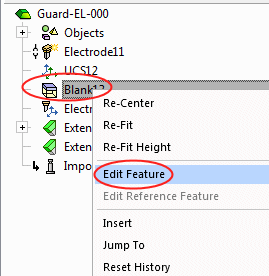
Right-click on the Cut feature in the Features Tree and select Edit FeatureEdit Feature.
-
Toggle the As Trim option to As Boolean.
-
Click OK in the Feature Guide. The following is displayed:
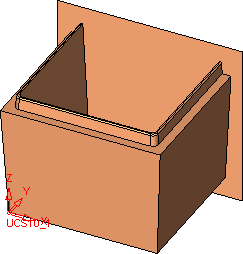
-
Edit the Cut feature once more, select the Invert Active Object option, and then click OK in the Feature Guide.