|
|
Set Motion - Step 4
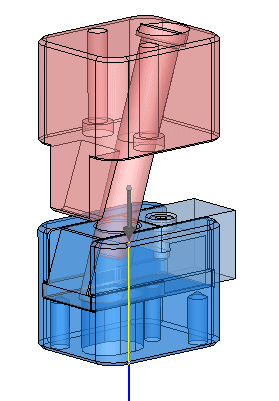
The collision occurred due to the wrong group attachment of the Guide pillar.
-
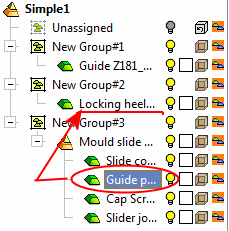
Drag the Guide Pillar to New Group#2.
-
Re-calculate the motion analysis. Click OK when finished.

-
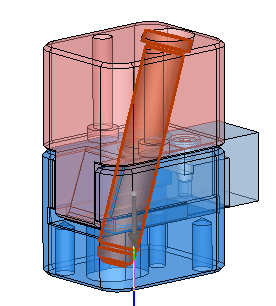
Use the slider or the play button to examine the motion. (Notice the slide core motion due to the Guide pillar and Guide Z181.)