|
|
Taper
In this step, the Taper function will be used to create a draft angle. The use of the function here will rotate the face to be tapered around the existing composite curve.
-
Select Solid > Taper.
-
Toggle the Neutral Plane option to Neutral Contour. Click on the Composite Curve iconComposite Curve icon
 .
. -
Create a composite curve with the following parameters and click OK in the Feature Guide.
Along the top outer edge of the part, select the bottom edges of the created roundsbottom edges of the created rounds.
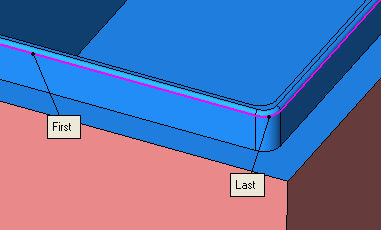
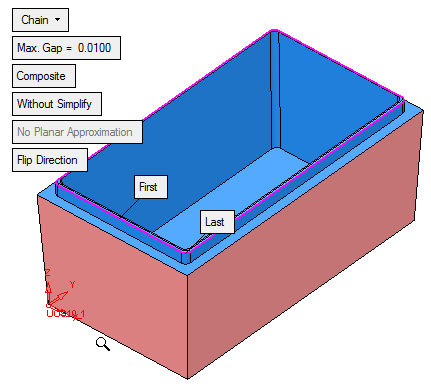
-
Exit to proceed to the next step in the Taper Feature Guide. Select the vertical face shown below:
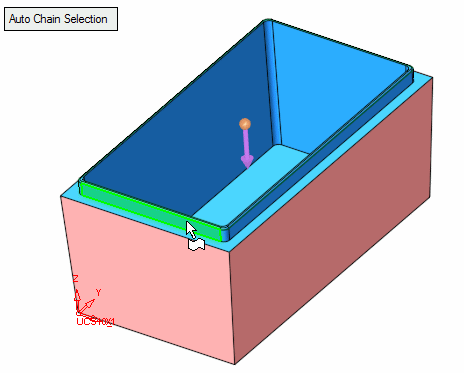
All smoothly connected faces are automatically selected.
-
Deselect the rounded faces so the eight vertical facesvertical faces remain. These faces are used for the taper.
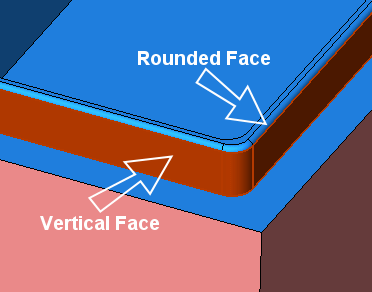
-
Apply a Taper Angle of 2, and click OK in the Feature Guide.
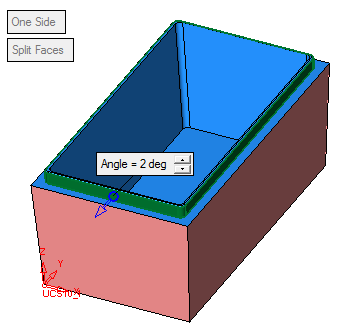
-
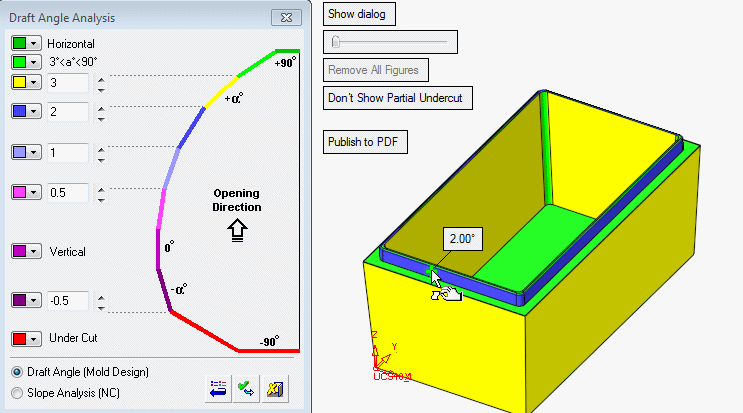
Now select Parting > Draft Angle Tools > Draft Angle Analysis again.
-
Compare the draft angle to the dialog box.