|
|
Shank and Holder Use Step 4
The Check Against Part Only / Check Against Stock and Part slider enables you to define which elements of the tool (shank, holder, spindle elements) are to be checked against the part surfaces only and which elements are to be checked against part and stock.
The BLUE area of the sliding bar refers to the Check Against Part Only option, while the ORANGE area refers to Check Against Stock and Part. The cutter, off course, cannot be checked against stock.
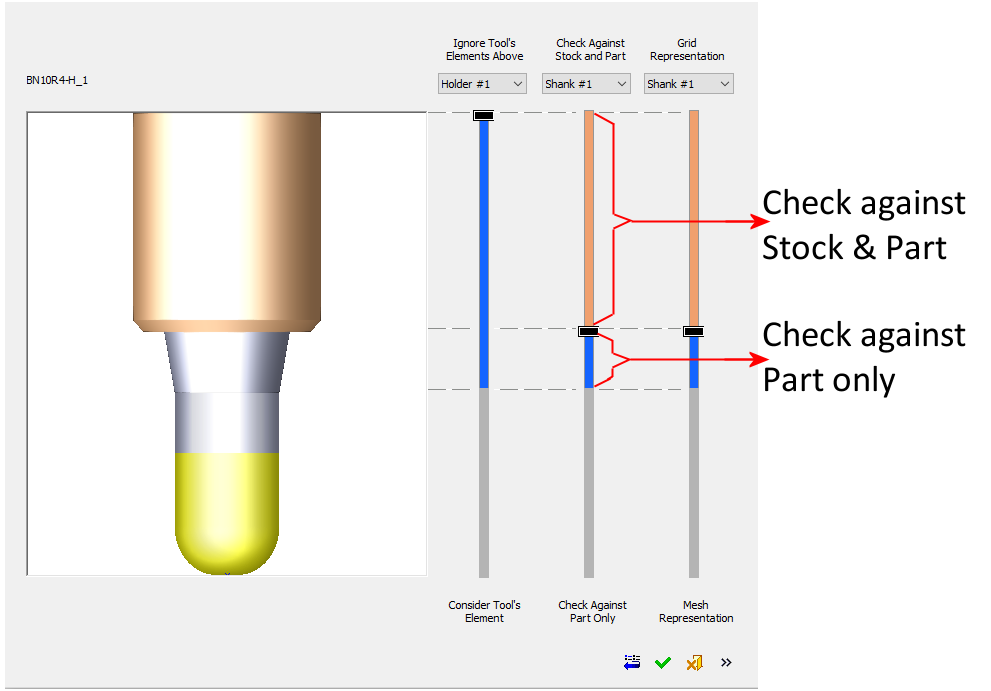
In this case, the cutter and shank will be checked against the Part only and the rest of the tool’s elements above the shank (in our case only holder#1) will be checked against Stock and Part.


