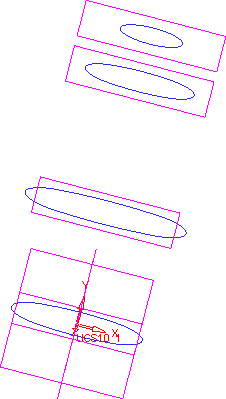
|
|
Sketches
-
Enter the Sketcher on the first parallel plane created.
-
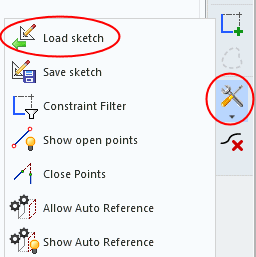
Select the Load Sketch iconLoad Sketch icon and select the Loft Sketch.skf file.
-
Place the sketch on the UCS.
-
Use the CoincidentCoincident
 constraint to:
-
Constrain the horizontal symmetry line and the UCS.
-
Constrain the vertical symmetry line and the UCS.
-
-
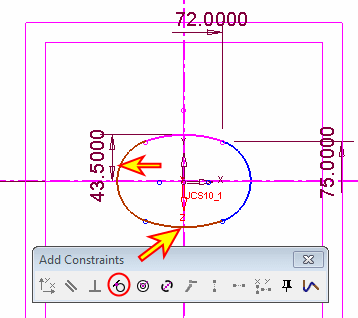
Highlight two curves of the sketch and click the Tangent constraint.
-
Add another Tangent constraint to the two curves below:
-
Update the dimensions as follows:
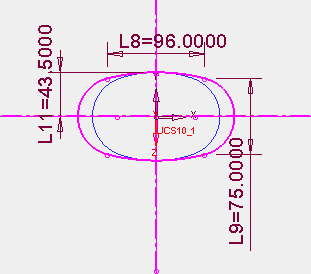
-
As performed above, use the Load Sketch option to create the following sketch on the second parallel plane.
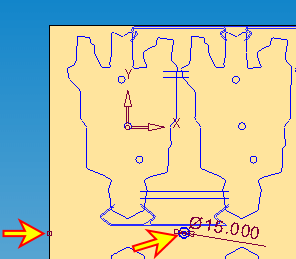
-
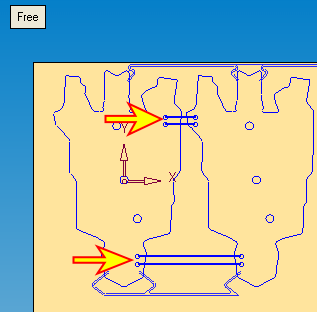
Set Same X constraint between the points indicated by the arrows in the picture below:
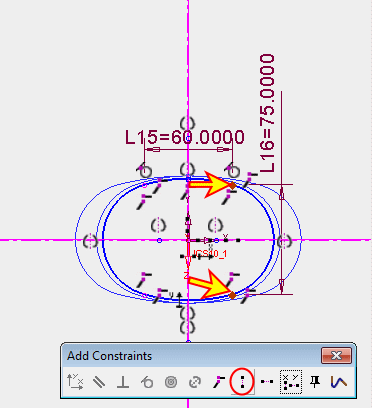
-
Update the last dimensions.
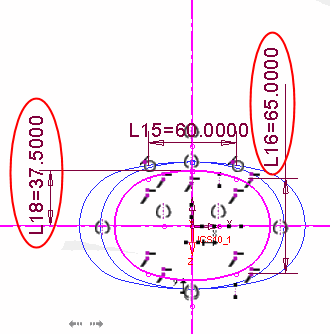
-
Finally, on the third parallel plane draw the following sketch:
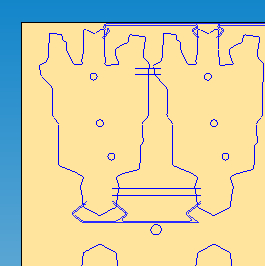
The screen now appears as follows: