|
|
Step 4 - Avoid collision with Drive Surfaces
-
Duplicate the procedure and edit it.
-
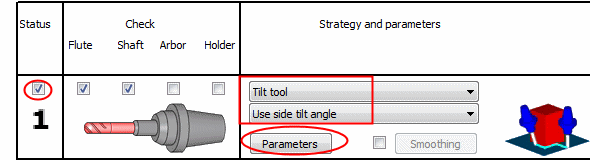
Open the dialog and click the Gouge Check tab.
-
Mark the 1st check group.
-
Set the Strategy to Tilt Tool / Use Side Tilt Angle.
-
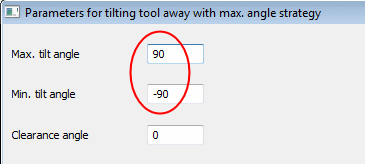
Click the Parameters button and set the Max and Min Tilt Angles to 9090.
-
Select only the Drive Surfaces option.
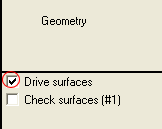
Only one of the gouge check options is activated.
The checking is done with the cutting length of the cutter (Tool Tip and Tool Shaft) against the drive surfaces.
The strategy in case of gouge will be to tilt the cutter sideways. -
-
Click OK and Save & Calculate the procedure.
-
Enter the Navigator to examine the results.
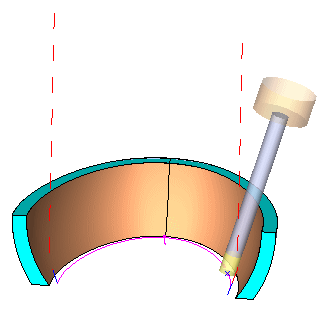
Notice that the cutter is tilted away just enough to touch the upper side of the drive faces without gouging them.


