|
|
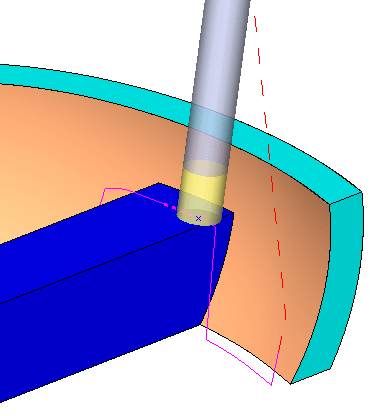
Step 5 - Avoid Collision with Horizontal Center Bar
-
Show the 1st Gouge set.
-
Duplicate the procedure and edit it. Open the dialog and click the Gouge Check tab.
-
Unmark the tool tip in the 1st check group.
-
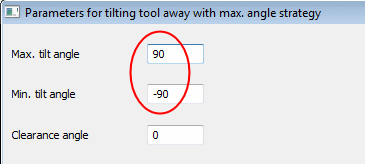
Set the Max. tilt angle to 90
-
Set the Min. tilt angle to -90

-
-
Mark the 2nd check group
-
Set the Strategy to Retract Tool / Along Tool Axis.
-
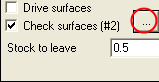
Mark the Check Surfaces checkbox.
-
Set Stock to leave to 0.5 mm
-
Set Tolerance to 0.05

-
-
Unmark the Check Gouge Between Positions check box (under the Advanced option).
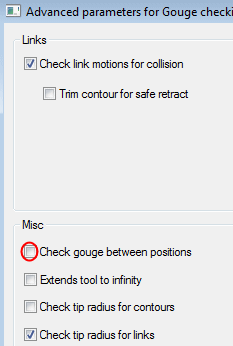
This setting stops the tool retracting along its axis whenever a gouge is detected, within 0.5 mm of the check surfaces. The tool remains retracted until a point where there is no longer a gouge. -
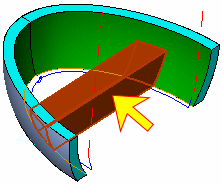
SelectSelect the Check Surfaces (Set: 1st gouge) as shown below:
-
Click OK and Save & Calculate the procedure.
Examine the results.
Hide the Curves set for a clearer display.
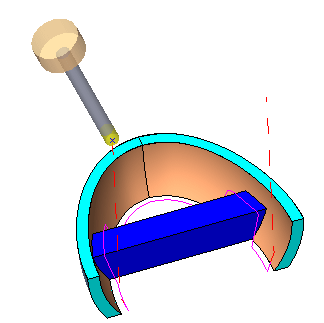
The tool retracts along its axis just enough to go over the check faces. When it passes the check faces, it goes back to the original motion location.