|
|
Trim - Step 2
-
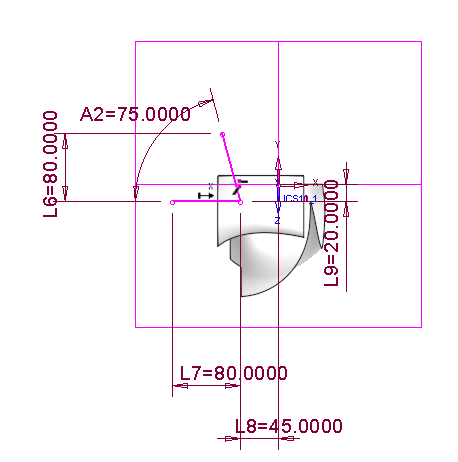
Create the following sketch on the ZX plane.
-
Select OK to exit the Sketcher and select Faces > Trim Face.
-
Select the area to the right of the contour on the face indicated below:
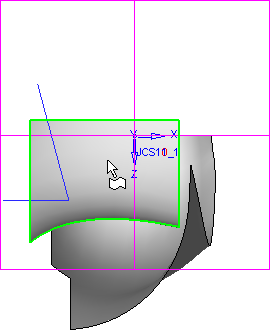
-
Select the sketch created above.
The trim option is set to Direction Projection as this default was saved from the last time the function was used.
-
Click the base of the Direction Projection arrow and select Along Y.
-
Click OK in the Feature Guide.
-
HideHide
 the two sketches.