|
|
Work With Motions With Collision - Step 2
The Motion By Collision Analysis Mode moves the motion simulation groups based on their defined motions while taking into account the collision of participating parts. In this way, if one component is moved, all parts which are physically connected to it will also move with it.
The movable assembly is supposed to move downwards with the ejection system as it connected to it. Therefore, its motion should be ignored.
-
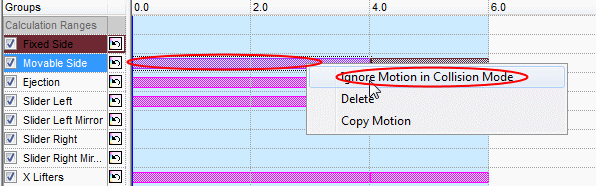
Right-click the motions next to the movable side and select Ignore Motion in Collision Mode.
-
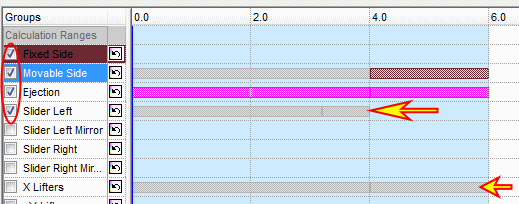
Apply Ignore Motion in Collision Mode also for Slider Left and X Lifters groups.
Select only the first four groups to participate in the calculation. Groups that are not selected will be ignored; therefore, they will remain in their original location during the simulation.