|
|
Z-Bottom
-
Rerun the stock and change it back to Bounding Box type.
-
Check the Z Limits parameter and select Bottom Only.
Enter Z-Bottom value = 0.

The lowest Z level for milling remaining stock has been set. -
Save and calculate the procedure.
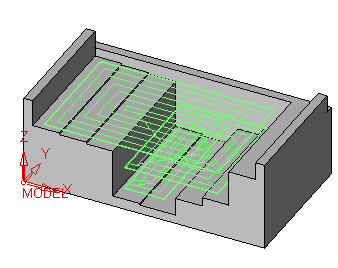
-
Rerun the procedure. Set the Z Bottom to 10 and the Fixed Vertical Step (down step) to 15.
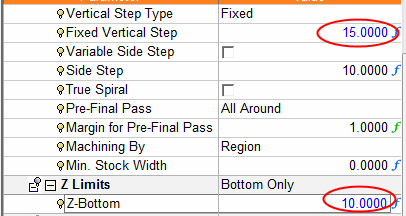
-
Save and calculate the procedure.
The machining should reach the Z = 10 (the remaining stock of the part).
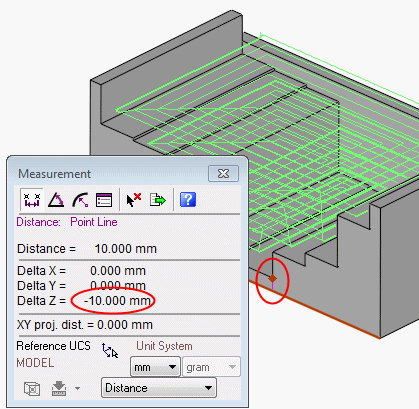
However, due to a Part Surfaces Offset of 0.5, machining does not start here due to a gouge detection and hence starts 15 mm higher (the Fixed Vertical Step).

-
Edit the procedure and change the Z-Bottom value to 12.
-
Save and calculate the procedure.
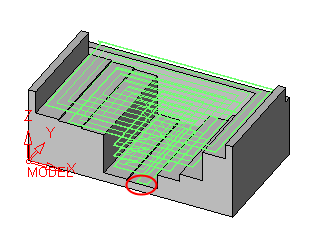
The surface is now machined as the Z-Bottom value is above the remaining stock and offset value set.


