2.5 Axes  > VoluMill Pocket
  :Creating Multi-Height Pockets: Options and Results


Access: Open this function from the following location:
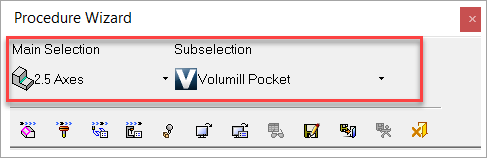
Select a technology from the Procedure Parameter Table (2.5 Axes as the main selection and Volumill Pocket as the subselection).
Cimatron can machine multiple pockets having multiple heights in a single procedure. Using Cimatron's enhanced functionality of the VoluMill™ technology, individual height parameters can be set for multiple pockets in one procedure, eliminating the need to create individual procedures for each pocket.
The VoluMill Pocket Multi-Height functionality can be activated manually or take advantage of the pockets and plate machining functionality.
Navigate to the Procedure Parameter Table (Procedure Wizard mode or Advanced mode) and select 2.5 Axes as the Main Selection and Volumill Pocket as the Subselection.
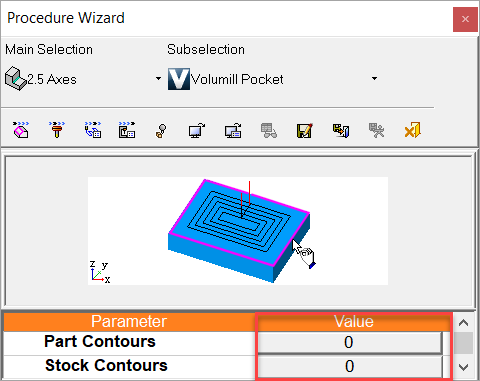
Pick a geometry parameter (Part Contours or Stock Contours) and click on the Value field of the geometry parameter selected to invoke the Contour Manager dialog.
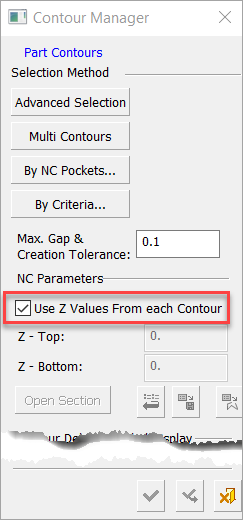
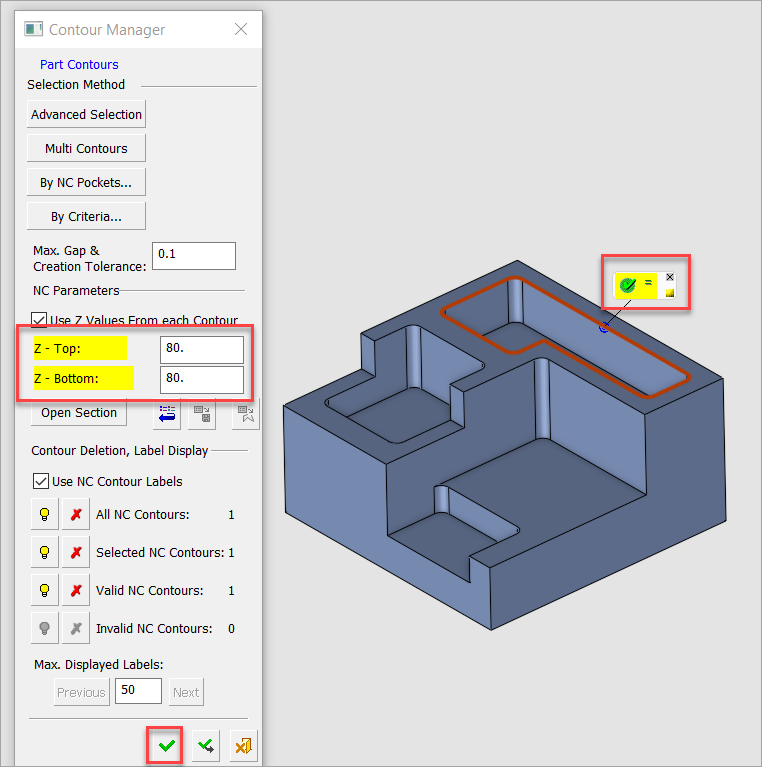
Select the Use Z Values from Each Contour checkbox.
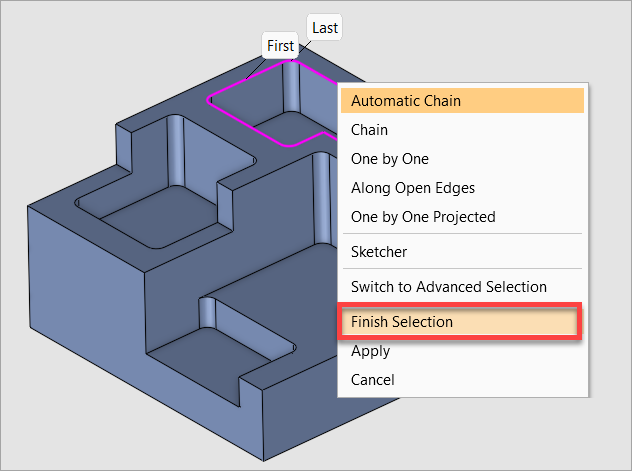
Select the first contour. After your selection, right-click and select Finish Selection.
The Valid NC Contour icon  appears. Click on the green check mark to activate the input fields for the Z-Top and Z-Bottom parameters in the Contour Manager dialog. Enter values for Z-Top and Z-Bottom and click the OK button
  at the bottom right of the Contour Manager dialog.
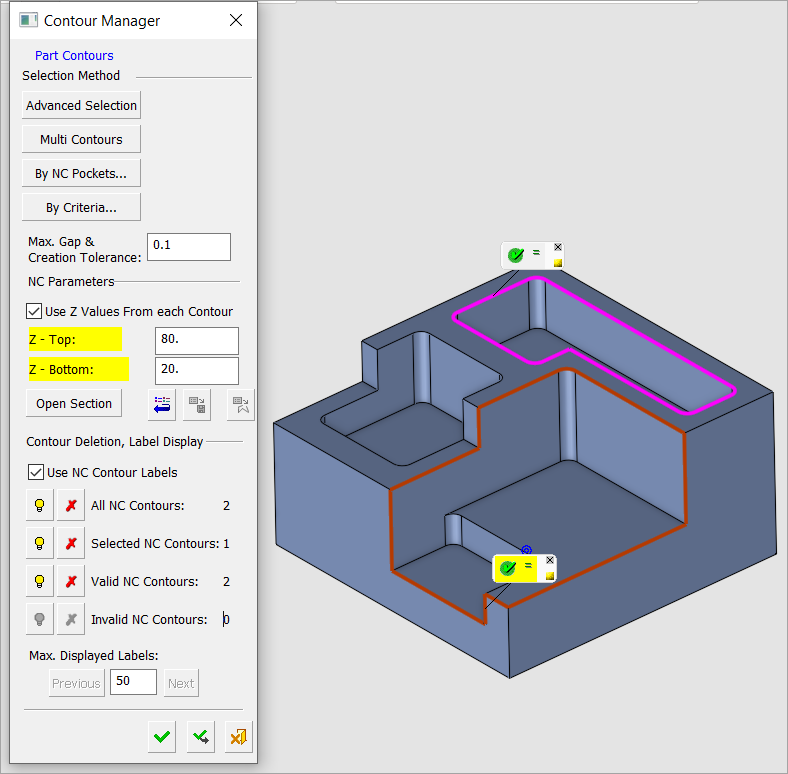
Add additional contours by repeating steps 3 - 6 for each contour. Note that you will see all the previously selected contours as you add contours.
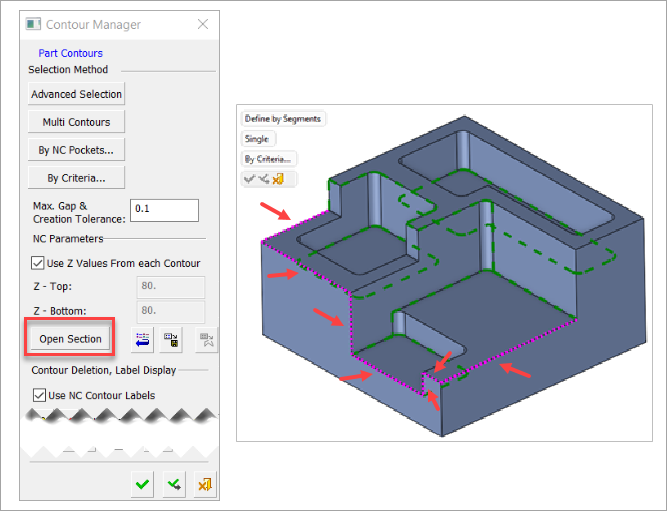
If you have any contours that need open sections defined, navigate to the Contour Manager dialog and click on the Open Section button. Select the appropriate edges.
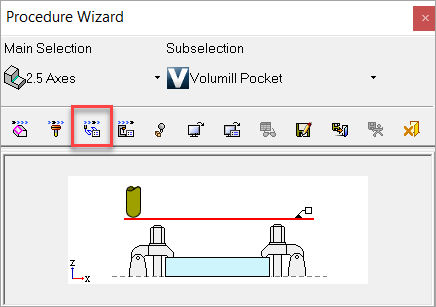
Next, navigate to the Procedure Parameter Table and select the Motion Parameters icon  .
.
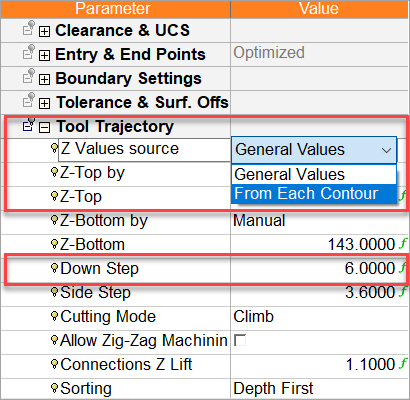
Select the Tool Trajectory parameter and navigate to Z Values Source and select the From Each Contour option. Also, define the Down Step value. Enter a value that is greater than each of the contours' depths to ensure each pocket is machined to its full depth.
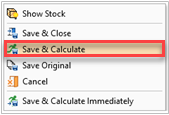
Right-click anywhere in the graphics window and select Save and Calculate.
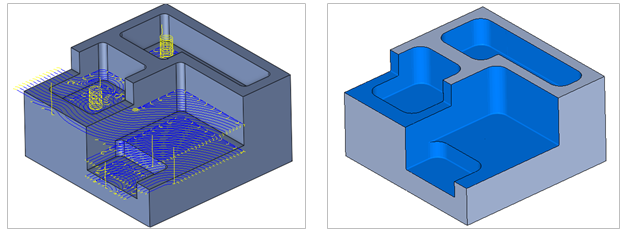
Note that the results are the same as the previous Volumill Pockets procedure; however, now all pockets are machined to varying depths using a single procedure, instead of multiple procedures.
 |
|
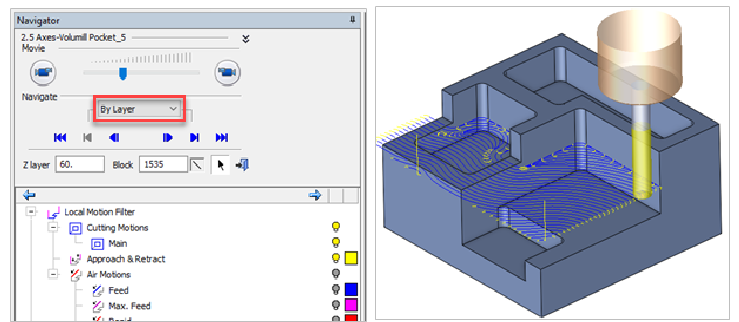
Start the Navigator and advance By Layer to see the machining order.
Notes:
-
The general machining order is top-down, considering the Z-Top values. If there are similar Z-Top values, the system considers the Z-Bottom values; therefore, the machining order is from the most shallow pocket depth to the deepest.
-
When using pockets, it is highly recommended to expand the originally detected pockets so they will be more suitable for machining.