|
|
Inspect the Mending Job
Inspect the Mending Job Within the Work File Using Comparison Between the Work and the Copied Master
Comparing the Work and the Master
Before applying changes to the model, we will first look at the mending job done in the work file.
This ECO comparison is only for reviewing the mending and not for actually implementing any changes. An easy way to do this rather than looking at the features in the file is by using a comparison between the work file and the copied master file.
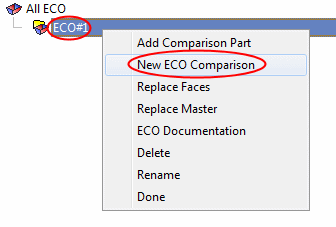
- Right-click the ECO#1 row and select New ECO Comparison.
- Define the ReceivingReceiving and ModificationModification parts.
In this case, we are not going to apply any changes. We simply use the ECO tool to inspect the changes (mending) done in the work part. Therefore, in this specific case, there is no difference which file is the receiving or the modified one.
The system automatically suggests receiving and modification parts. The relevant suggested fields are colored in PURPLE.
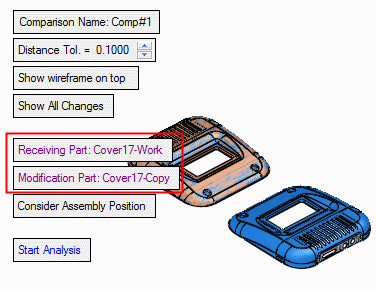
Receiving Part: The part that will receive the changes. Usually, this is the work file or the active parts.
Modification Part: The customer’s updated file. The part which includes the modifications, usually the ECO part.


