|
Getting Started
|
Environment
|
|
  
|
Interaction - Part 1
Step 12 - Sketcher
The Sketcher is the graphic environment used by Cimatron to create 2D parametric geometry. The general approach to using the Cimatron environment will be shown in the following steps.
-
Open a new part and enter the Sketcher by using one of the following options:
-
Press the Right Mouse Button and selectselect Sketcher.
-
Click the Sketcher icon  in the Icons toolbar. in the Icons toolbar.
-
Click Wireframe > Main Tools > Sketcher.
-
Exit to select the XY plane as the Sketcher plane.
The Sketcher environment opens with the Sketcher menu bar on the right side.
-
From the menu bar choose the RectangleRectangle  function. function.
-
In the Sketcher, click on the UCS origin and drag a box as shown below.
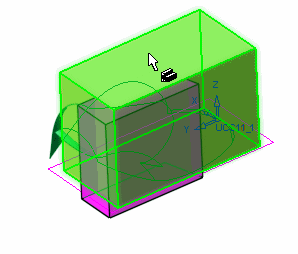
Make sure that the Use Reference Plane option in Preference > General > SketcherPreference > General > Sketcher is not selected.
|
|