|
|
Step 11b - M-View Example
An M-View is a user-defined view of entities that includes a profile of parameters (display parameters, section parameters, drafting parameters, and so on), which can be used in the Drafting environment.
-
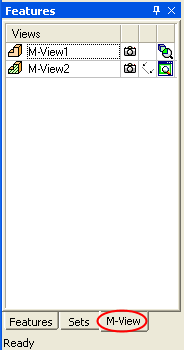
Open the M-View tool by clicking the M-View tabM-View tab in the Features Tree.
-
Double-click on M-View1.
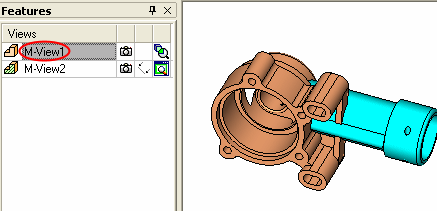
An M-View can be created by selecting which sets it will contain or by manipulating the display parameters to define how the view appears. -
Double-click on M-View2.
The Section Line option has been used to create the following view.
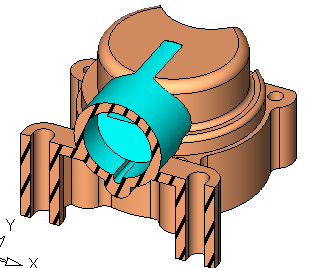
It is possible to define three different shade modesthree different shade modes for the sectioned face, defined in the General Preferences M-View Section dialogGeneral Preferences M-View Section dialog.

Ensure that Global Mixed Render Mode is selected to view the different shade mode options.


